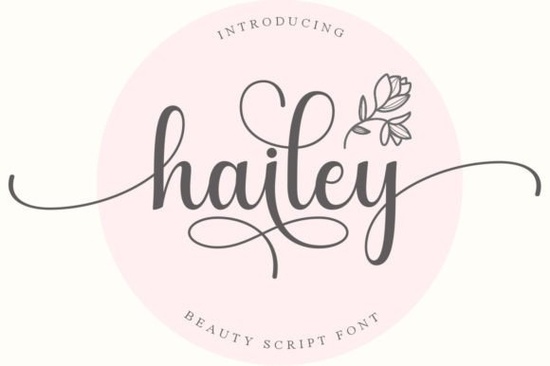
Hailey Font is a delicate, flowing handwritten typeface that works beautifully across a wide range of creative projects. Whether you're designing wedding invitations, branding materials, or print-on-demand products, this elegant script font brings a timeless quality that feels both personal and polished. If you've been searching for a go-to script typeface for your design toolkit, Hailey is worth a closer look.
What makes Hailey stand out among handwritten fonts?
There are thousands of handwritten fonts available today, so what makes this one different? Hailey strikes a rare balance between elegance and readability. Many script fonts lean too far in one direction either they look beautiful but are hard to read, or they're legible but lack personality.
Hailey keeps its graceful, flowing letterforms while remaining clear enough for practical use. The letter connections feel natural, and the overall rhythm of the typeface gives text a hand-lettered quality without looking messy. For designers who need a script font that communicates sophistication without sacrificing clarity, this is a strong choice.
What kinds of projects is this font best suited for?
Hailey works well across many project types. Here are some common uses that take advantage of its strengths:
- Wedding stationery Save-the-dates, invitations, menus, and table numbers
- Branding and logos Beauty brands, boutique shops, bakeries, and lifestyle businesses
- Social media graphics Quote posts, story templates, and promotional banners
- Print-on-demand products Mugs, tote bags, T-shirts, and wall art
- Greeting cards Birthday, thank-you, and holiday card designs
- Digital products Planners, journals, and printable wall decor
If you sell on Etsy, Redbubble, or similar platforms, pairing a font like Hailey with the right layout can help your products feel more premium and intentional.
How do you use the glyphs and swashes?
One practical detail that matters for working designers: Hailey is PUA encoded. This means every glyph, swash, and alternate character is accessible even in basic design software that doesn't support OpenType features natively.
To access the extras, you can use a character map tool on your operating system or a glyphs panel in software like Adobe Illustrator, Photoshop, or Affinity Designer. The swashes add decorative flourishes to the beginning or end of words, which can make headlines and monograms feel more polished.
If you're new to working with swashes, try adding them to just the first and last letters of a word. This keeps the design balanced without making the text hard to read.
What fonts pair well with Hailey?
Script fonts rarely work well on their own for body text. You'll almost always want a clean, simple companion font for longer copy. Here are a few pairings that complement Hailey's style:
- Alignment A structured option that contrasts nicely with Hailey's flowing strokes, useful for subheadings and supporting text.
- Cupcake Handmade Duo If you want an all-handmade aesthetic with more variety, this duo font gives you two complementary styles in one package.
- Summer Hipster A casual script with a different personality, good for mixing styles within the same project or exploring alternatives.
- Hello Another friendly handwritten option that works for relaxed, approachable designs like social posts and packaging.
The best pairing depends on your project. As a general rule, match a detailed script like Hailey with something simple and geometric for body text a basic sans-serif or clean serif usually does the job.
Is Hailey a good fit for commercial projects?
Yes. The font comes with a license that covers both personal and commercial use, which is important if you're selling products or working with clients. Always double-check the specific license terms before purchasing, especially if you plan to use the font in products for resale like print-on-demand items or digital downloads.
Quick checklist before you start designing with Hailey
- Download and install the font files on your system
- Open your character map or glyphs panel to explore available alternates and swashes
- Choose a clean sans-serif or serif font to pair with it for body text
- Test the font at different sizes script fonts often need size adjustments for readability
- Review the license terms to confirm your intended use is covered
- Export a test design and view it at actual size before finalizing
Tip: When using Hailey for print-on-demand, keep in mind that script fonts with thin strokes can sometimes lose detail at small sizes. Always do a test print or mockup preview to make sure the lettering reads clearly on your final product.
Download Now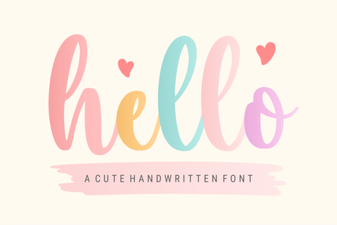 Hello Font – Elegant Script Typeface for Creative Design Projects
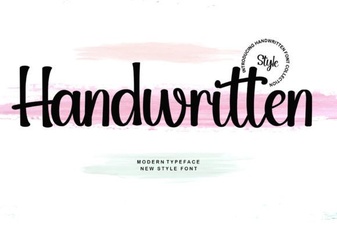 Best Handwritten Fonts for Creative Design Projects
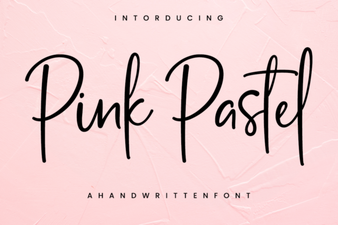 Pink Pastel Font Ideas for Creative Design Projects
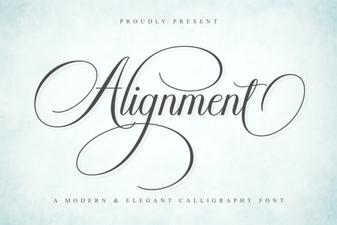 Creative Alignment Font Techniques for Modern Design
 Summer Hipster Font - Free Script Font Download
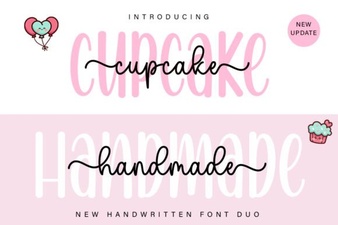 Cupcake Font for Creative Projects